
Your keys never leave your device.
Unseizable is non-custodial by design: your private keys and recovery phrase are generated and stored on your device, protected by its hardware. We hold no copy — and we're honest about what self-custody asks of you.
There's a difference between holding and being held.
You
hold the private keys, on your device
Zero
private keys stored on our servers
Hardware-backed
key storage, guarded by device security
12 words
a standard recovery phrase that's yours to keep
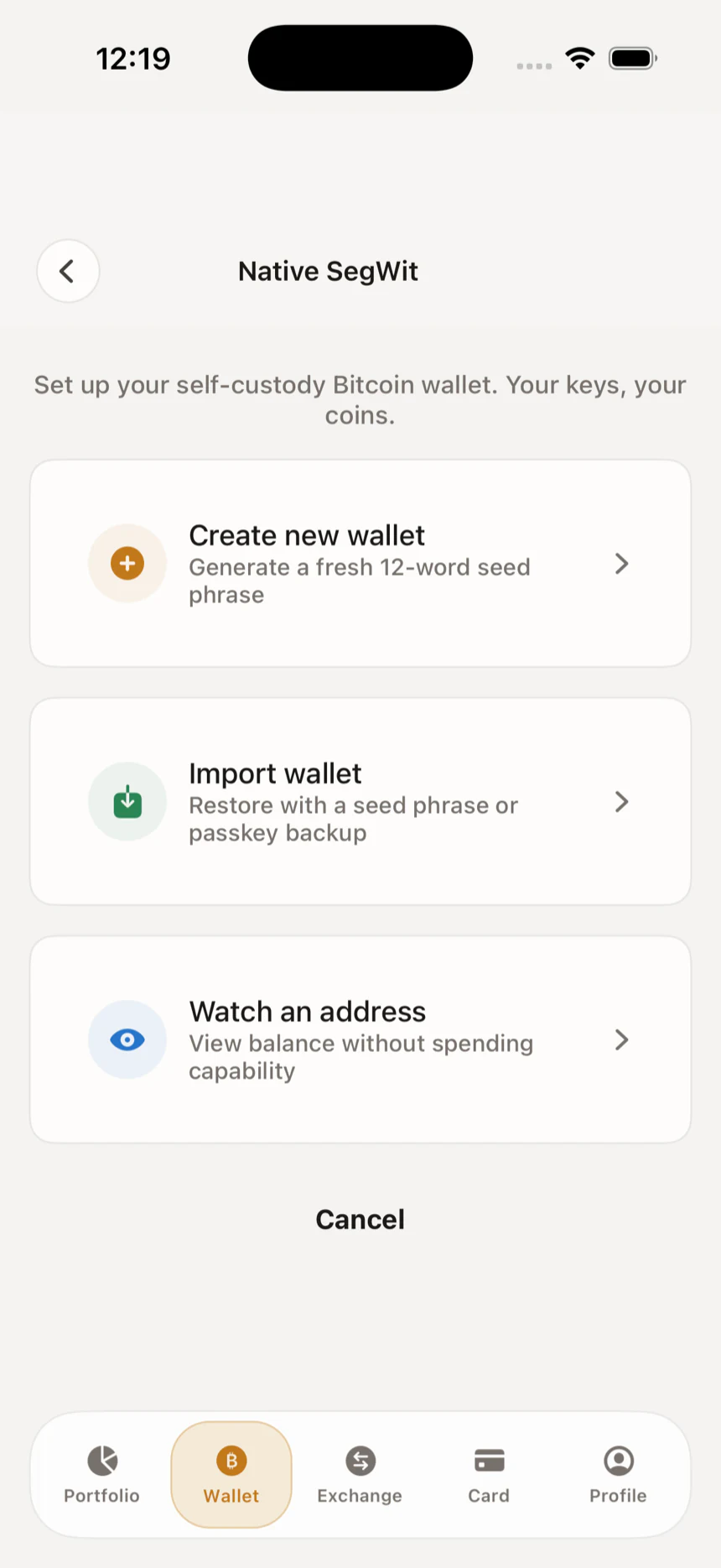
Generated on your phone. Stored on your phone.
When you create a wallet, Unseizable generates your keys locally on your phone — never on a server, never transmitted to us. Your recovery phrase is encrypted at rest and unlocked on-device, so day to day you spend without ever exposing it.
- Keys are generated on-device the moment you set up — not minted in the cloud.
- Your recovery phrase is encrypted on your phone and protected by hardware-backed storage.
- Biometric unlock gates access; the phrase is only ever shown when you deliberately reveal it.
- We keep no copy. There is no master key and no admin override.
Recovery that answers to you, not us.
Your recovery phrase is the one thing that restores your wallet — so it's the one thing only you should hold. Write it down, store it offline, keep it private. Because it follows a widely used standard, it isn't locked to our app.
- Restore on a new phone, or import the same phrase into any compatible wallet.
- Your funds survive us — the phrase still works if Unseizable goes offline.
- A widely adopted standard, so you're never locked into one app.
Honest about what we can — and can't — protect.
Security claims are only worth something if they're specific. Here's the line, drawn plainly: what holding your own keys defends against, where it stops, and the part that's genuinely up to you.
What this protects you from
- A provider freezing or seizing funds we'd otherwise hold — because we never hold them.
- Losing access if Unseizable shuts down — your recovery phrase restores your wallet independently.
- A server-side breach exposing your private keys — they're never on our servers to begin with.
What it does not protect against
- Someone who learns your recovery phrase — anyone with the phrase can move the funds.
- Malware or coercion on an unlocked, compromised device.
- Sending Bitcoin to the wrong address — on-chain transactions can't be reversed.
- Loss of the phrase itself. There is no reset and no backdoor.
What depends on you
- Writing down your recovery phrase and storing it offline, away from your phone.
- Keeping your phone updated and protected with biometric unlock and a passcode.
- Verifying every address and amount before you sign — you approve, you're responsible.
We won't tell you nothing can ever go wrong. We will tell you that holding your own keys removes us as a single point of failure — and puts the remaining responsibility where you can actually control it.
The questions that actually matter.
Because Unseizable is non-custodial, only you hold the keys — and only your recovery phrase can restore them. We don't keep a copy, so we can't recover it for you. That's the trade-off for nobody else being able to access your funds either. Write the phrase down and store it offline.
Yes. Keys are generated on your phone and stored there, protected by hardware-backed storage and device security. They're never created on our servers or transmitted to us.
Your funds don't depend on us being online. The recovery phrase follows a widely used standard, so you can restore your wallet in any compatible wallet even if our app is gone.
No custody — your keys stay on your device, not our servers. We keep identity verification to what Canadian regulation requires and nothing more, and your keys are never part of that process.
There's nothing for us to freeze. We never hold your keys, so we can't move, lock, or hand over your funds. Self-custody means that control — and the responsibility that comes with it — sits with you.
Unseizable is available for iOS and Android. Download it from the App Store or Play Store and keep your keys on your own device.
Hold it yourself. By design.
Download Unseizable and keep your Bitcoin where only you can reach it — on-chain and over Lightning, with keys that never leave your device.
Free to download · iOS and Android · App Store and Play Store